Following a routine upgrade last week, BRIAN is now accessible for use.
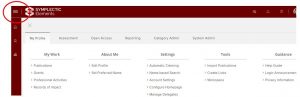
Users will notice that the navigation menu has been repositioned from the top of the screen to a new, left-hand sidebar. The heading bar, and the navigation items included in it, have been consolidated into the sidebar to enable quicker access to essential features and content, and help users more effectively locate the information they need.
Old view
 New view
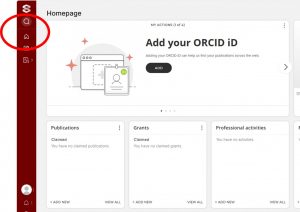
The updated navigation introduces improved interaction patterns, providing a more dynamic and intuitive browsing experience.
- Hovering over the new left-hand sidebar will expand the first layer of navigation.
- Within this expanded menu, you’ll find various sections that can be further explored by mousing over them, revealing additional nested layers where applicable.
- For sub-sections containing more detailed options, these are now presented as nested menus that are collapsed by default, allowing for cleaner navigation while still providing access to lower levels of detail with a simple click.
- Additionally, you can interact with the logo to trigger the menu to open without needing to maintain a hover state.
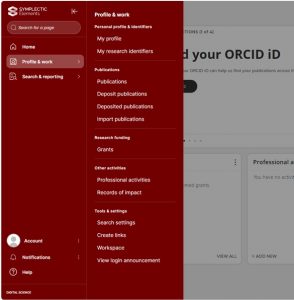
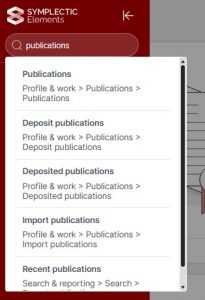
In addition, the new ‘Find a Page’ search box now appears prominently at the top of the sidebar, allowing users to search for and jump directly to any page without navigating through sections.
We hope the new features will improve your BRIAN experience.
For any questions, email BRIAN@bournemouth.ac.uk
 BRIAN Upgrade – Next Week!
 Last Day To Use BRIAN Before Upgrade!







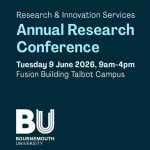 BU Annual Research Conference: Poster Exhibition Call for Applications
 Vitae Three Minute Thesis (3MT®) Competition: Applications Now Open
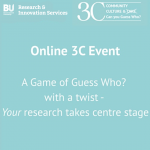 3C Online Social: Thursday 26 March 1–2pm – Research Culture, Community & Can you Guess Who?
 Four BU students at national midwifery conference
 INRC book roundtable/presentation by Drs Jonathan Cole and Catherine Talbot, Wednesday 22/04/2026, 13:00h, P426
 ECR Funding Open Call: Research Culture & Community Grant – Apply now
 ECR Funding Open Call: Research Culture & Community Grant – Application Deadline Friday 12 December
 MSCA Postdoctoral Fellowships 2025 Call
 ERC Advanced Grant 2025 Webinar
 Update on UKRO services
 European research project exploring use of ‘virtual twins’ to better manage metabolic associated fatty liver disease